Understand skills through real work.
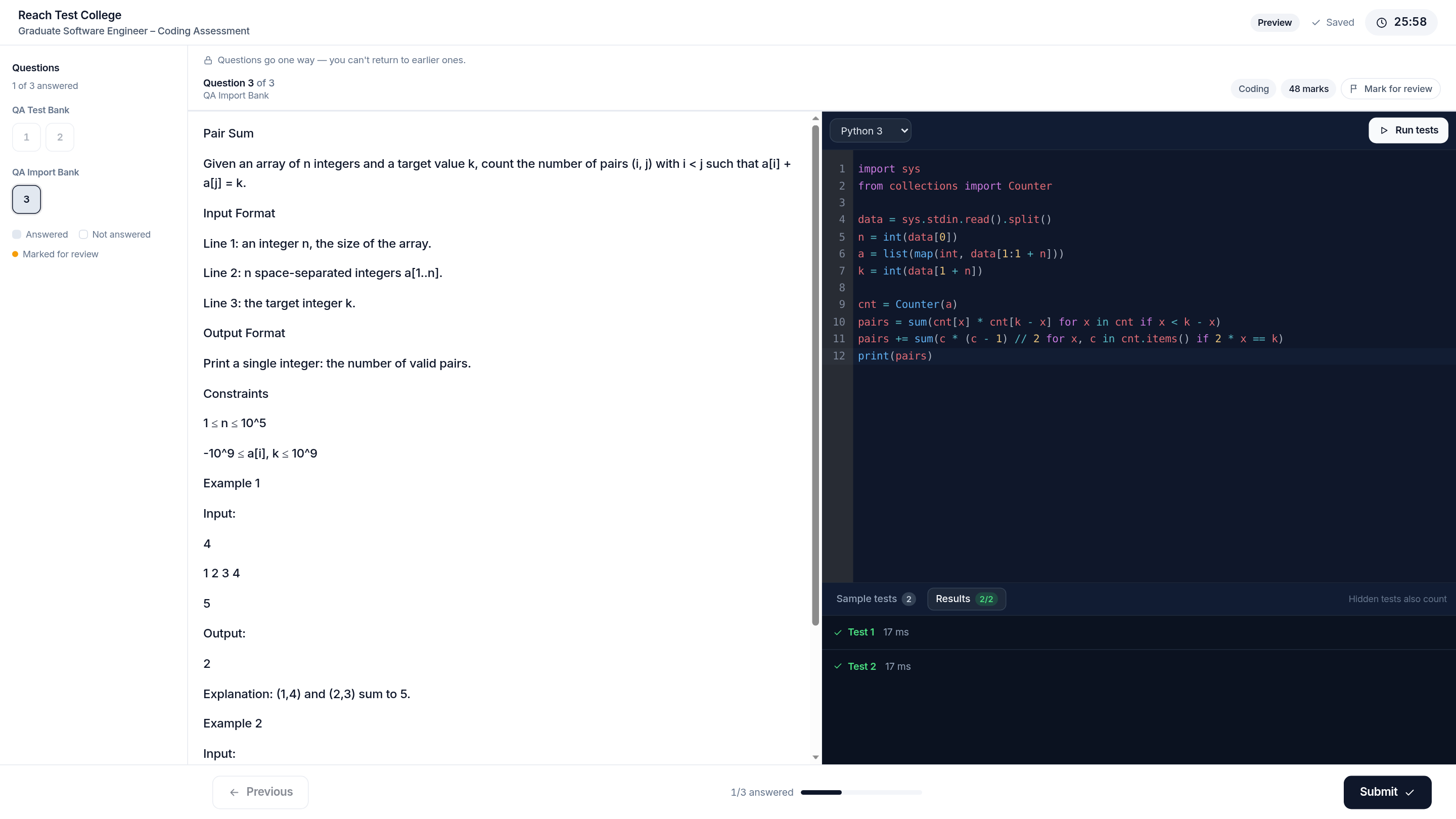
Combine MCQ, sandboxed coding with hidden test suites, structured written responses, and practical CAD or project file uploads inside a single distraction-free candidate player.

Bring applications, skills assessments, proctoring, and interviews into one connected workflow. Give your team the context to build a stronger shortlist.
A CLOSER LOOK
Choose a view to explore the workspace.
Product screenshots · Example data
FOR THE ROLES YOUR TEAM HIRES
Keep your team focused at every stage.
Keep applications, assessments, and interview activity connected. Review candidates with the context of their work, then decide who is ready for the next step.
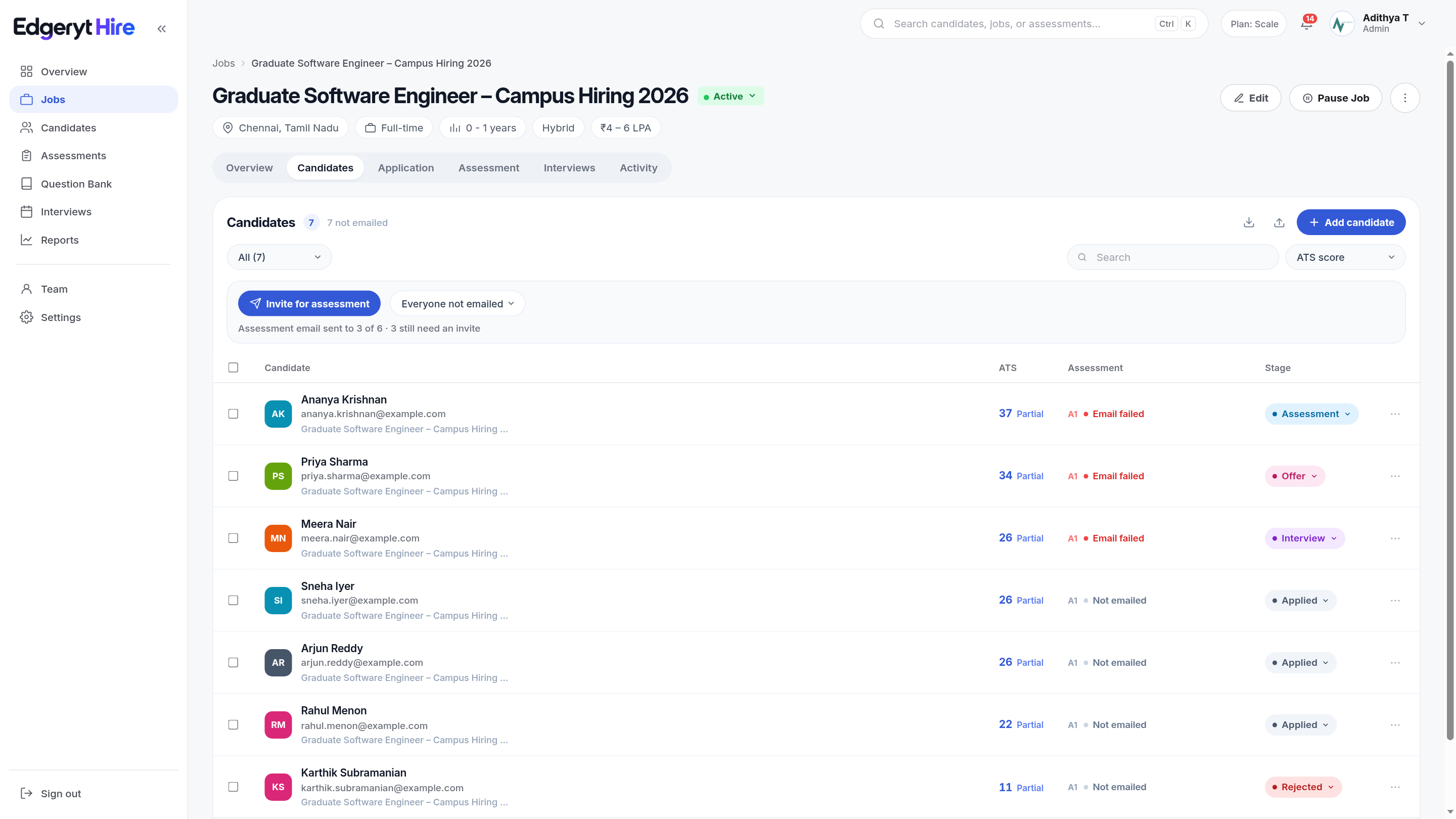
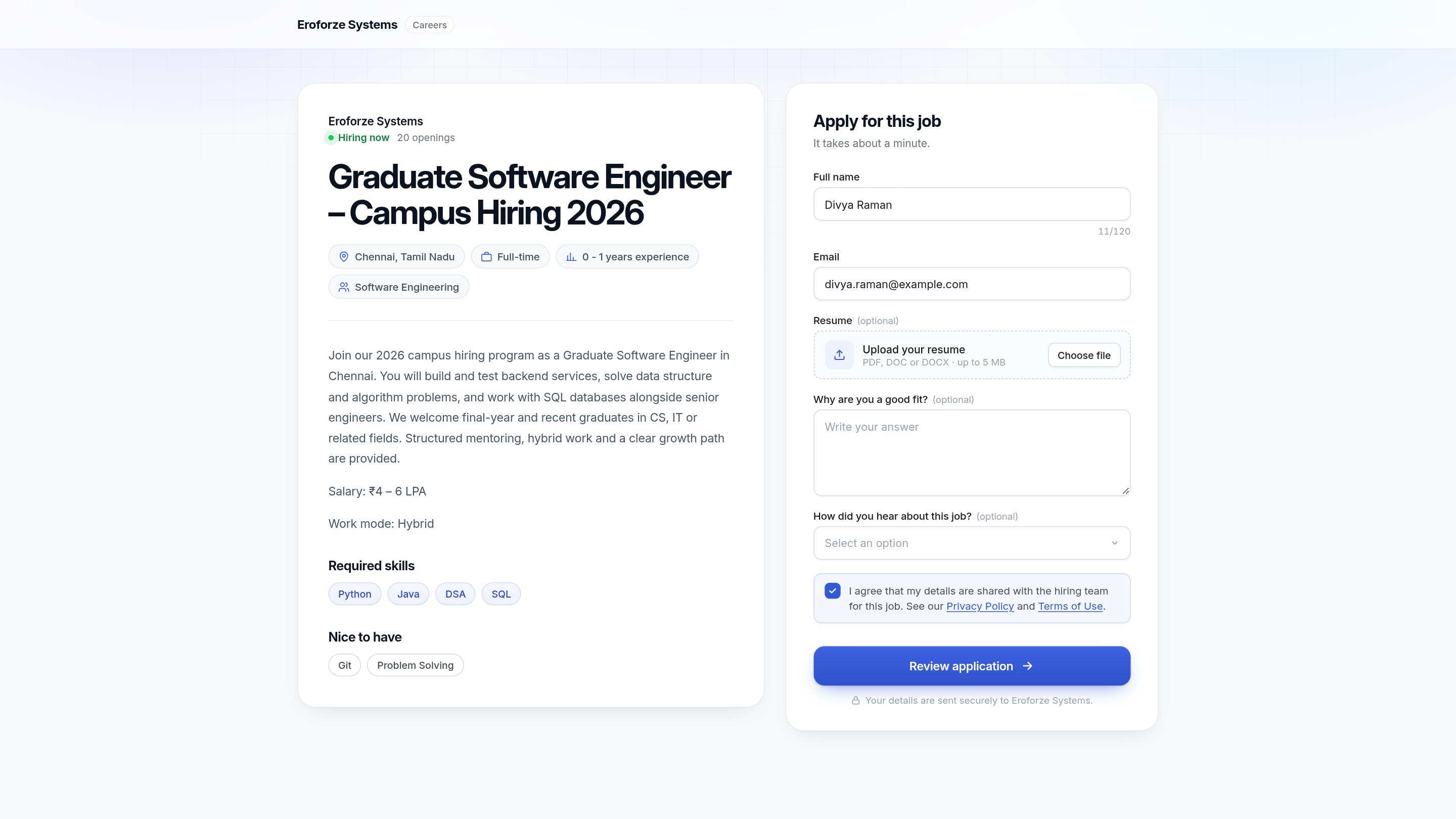
Build branded application pages and keep each candidate’s information connected to the role.
Combine assessment formats and set progression rules for each stage of your process.
Bring scores, responses, and available integrity evidence into the next hiring conversation.

Build application pages, assess real skills, review integrity evidence, and coordinate interviews. Each part of the process stays connected to the candidate.
Combine MCQ, sandboxed coding with hidden test suites, structured written responses, and practical CAD or project file uploads inside a single distraction-free candidate player.

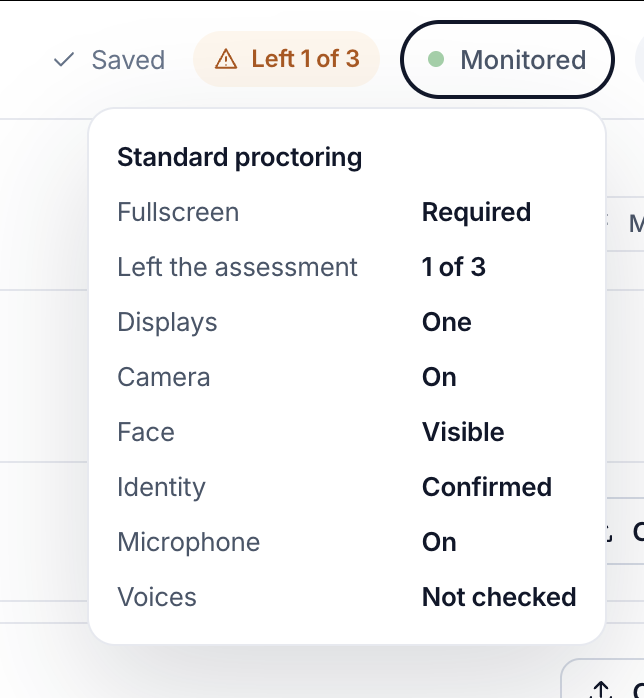
Dial security per role—from browser focus logs to full ID checks, second-voice audio detection, and session replay.

Generate role-specific questions in seconds, then let AI evaluate written answers against structured rubrics so human reviewers focus on final judgment.

Set automatic progression thresholds by pass mark, top N, or top percentile. Candidates who clear Stage 1 receive Stage 2 invites automatically—zero spreadsheet exports required.

Organize questions in folders by skill and difficulty, import thousands of items via spreadsheet, or launch immediately with domain templates across engineering, healthcare, and business.

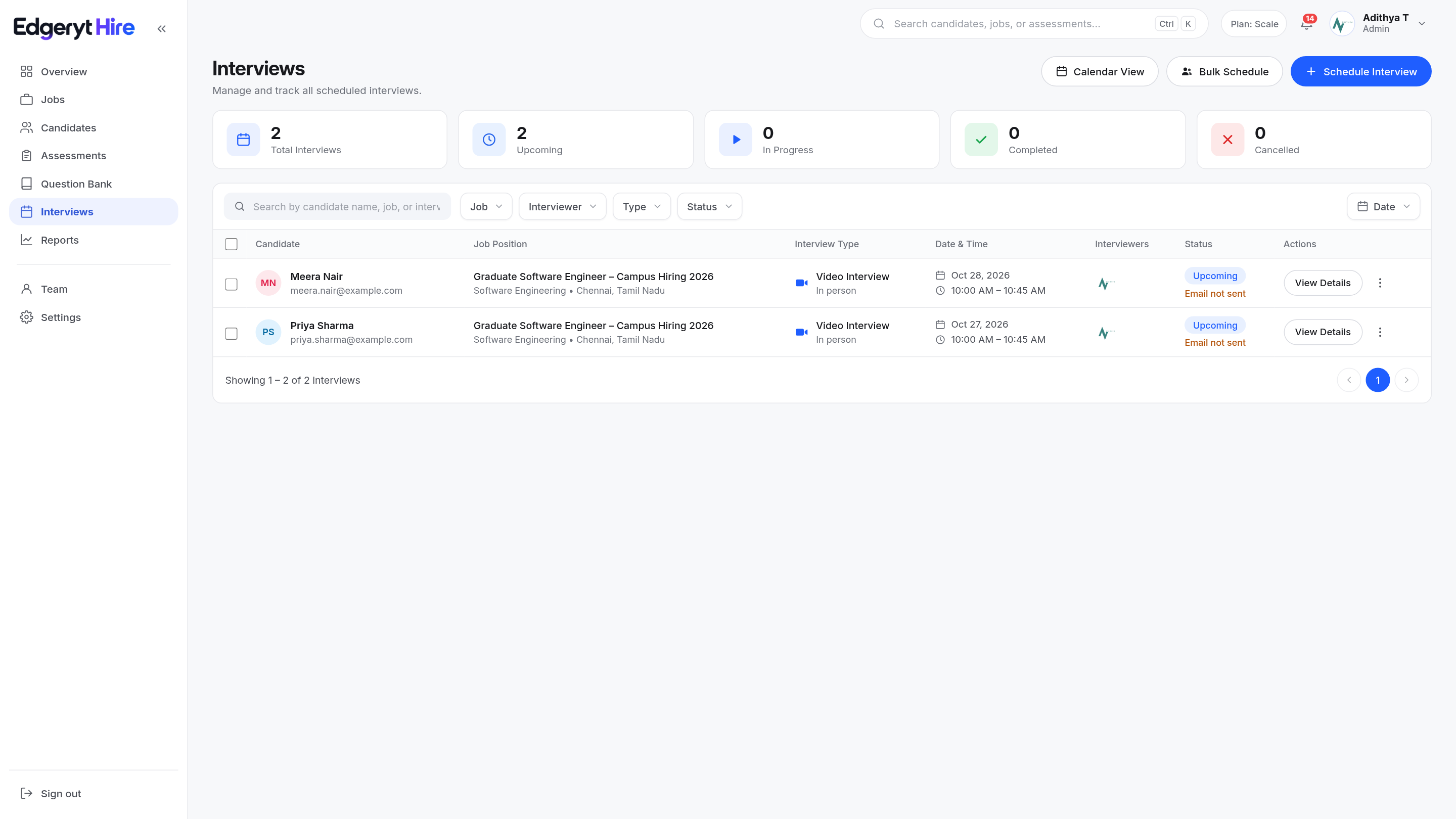
Connect your workspace calendar once. Schedule individual or multi-interviewer panel sessions, or send candidates a self-booking link to pick from open slots.

Compose branded application pages block by block—add custom questions, required uploads, eligibility rules, and role-specific fields. Publish one role or import many, with every response flowing into one ATS pipeline.
Run role-ready assessments in a real player—MCQ, coding with sandboxed tests, short and long answers, projects, and file uploads. Auto-score where it makes sense, then review written and practical work side by side.
Live camera with head monitoring, voice monitoring, and second-voice detection catch what a score alone can’t. Identity and behavior stay tied to the attempt, so a high mark isn’t enough on its own.
Bring skills, assessment performance, and available integrity evidence into one review. Use the results to inform your team’s shortlist and decide who should move to an interview.
Create interviews one by one or in bulk. Schedule across Google Meet and Microsoft Teams from the same workspace—Zoom is coming soon—and move the best from assessment to interview to hire without losing the thread.
hire.edgeryt.com/apply · Mechanical Design Engineer

A clear, connected path from first application to final interview—whether you are hiring hundreds or thousands.
High-Volume Campus Hiring
Run aptitude, coding, and domain assessments in a connected process. Use progression rules and configured proctoring to help your team review candidates across each round.

Questions about your team’s workflow?
Let’s talk it through
It connects application pages, skills assessments, proctoring, candidate review, and interview scheduling. Your team can follow candidates through one hiring workflow.
Yes. Create your own questions, import existing content, or start with the question library. Review your questions and assessment configuration before publishing.
Combine multiple-choice questions, coding tests, written responses, and practical file or project submissions. Choose the formats that match the work your role requires.
Configure the monitoring required for an assessment, then review available flags, recordings, and evidence alongside the candidate’s responses. Integrity flags help guide a review; your team makes the hiring decision.
Yes. Start with the free plan to explore the workflow, or request a guided demo to discuss your hiring needs. Visit Pricing to compare plan limits and features.
Start with the free plan, or walk through the platform with us. See how applications, assessments, and interviews can work together for your team.
Compare plans and features